AI Agentic Chat UI
Chat naturally with your accounting records. Ask questions like "What is the total invoiced for Acme Corp in 2026?" and let the AI dynamically query the WaveApps GraphQL API.
Stop worrying about manual queries and cloud privacy risks. G2i for Wave connects local AI models (Ollama/LM Studio) directly to your WaveApps accounting data—100% private and stored on your machine.
If "Windows protected your PC" appears, click More Info → Run Anyway.
(We are currently processing our code signing certificate)
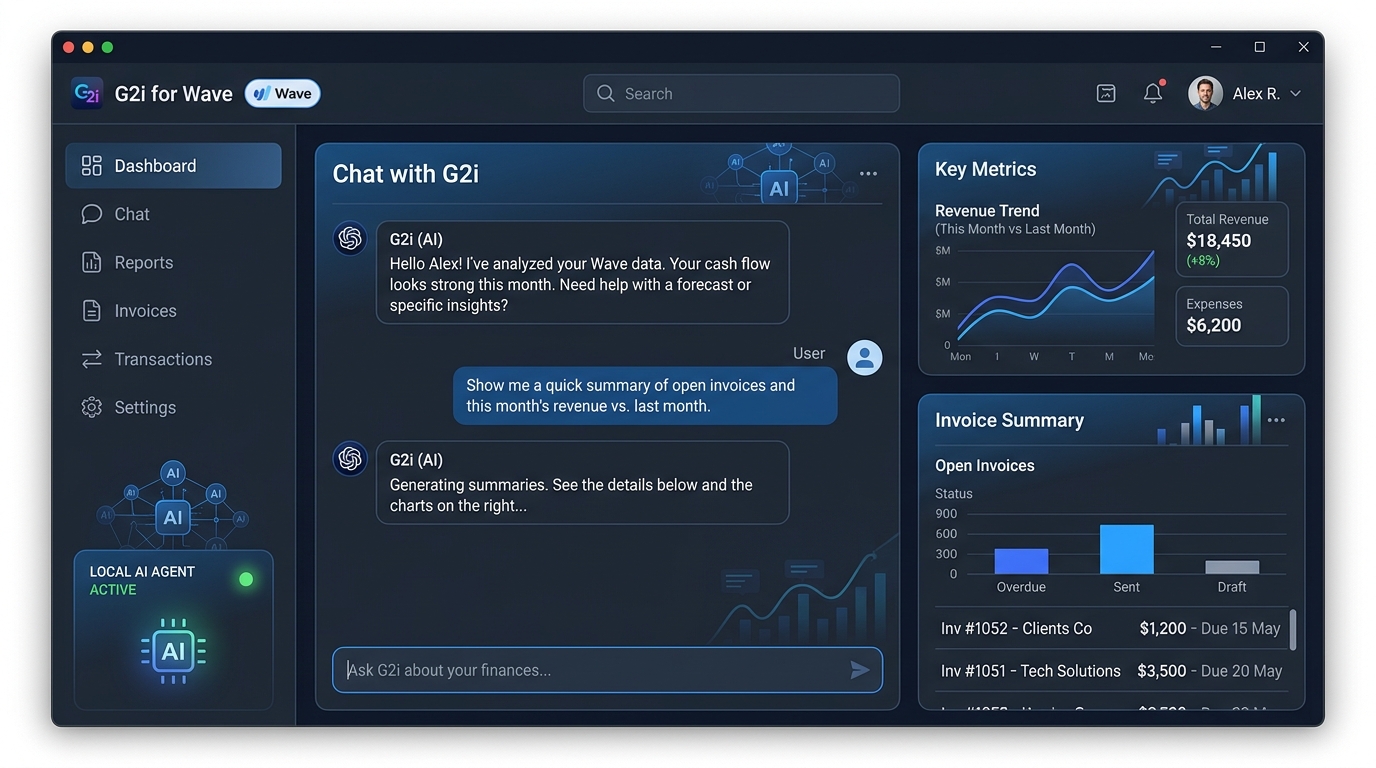
Chat naturally with your accounting records. Ask questions like "What is the total invoiced for Acme Corp in 2026?" and let the AI dynamically query the WaveApps GraphQL API.
Your WAVE_API_TOKEN and chat history never leave your computer. Connects to local LLMs (Qwen 2.5, Llama 3 via Ollama or LM Studio) so financial data remains private.
Eliminates AI math hallucinations ("Lost in the Middle" problem) by computing exact financial sums on a Node.js proxy before sending verified answers to the LLM.
Caches invoice indexes in-memory to bypass WaveApps API limitations (such as missing native PO filters) and achieve instantaneous zero-latency searches.
Get the latest standalone executable G2i-for-Wave-Setup.exe from GitHub Releases.
Download Setup.exe →Run the installer on Windows. Follow the wizard and launch G2i for Wave.
Log in to your WaveApps account (developer.waveapps.com) and create a Full-Access API Token.
WaveApps Developer Portal ↗Ensure Ollama or LM Studio is running locally (e.g. http://localhost:11434), enter your API token in G2i, and start querying your financial data!
Clone the source code from GitHub:
git clone https://github.com/tecnoclu/g2i-for-wave.git
cd g2i-for-wave
Install Node modules using npm:
npm install
Create a .env file in the project root with your credentials:
WAVE_API_TOKEN=your_waveapps_full_access_token
OLLAMA_URL=http://localhost:11434
MODEL_NAME=qwen2.5:latest
Run Electron with React live reloading:
npm run dev
Build the Windows standalone installer package:
npm run dist